Documentation Index

Fetch the complete documentation index at: https://docs.entire.io/llms.txt

Use this file to discover all available pages before exploring further.

A session is the complete record of an AI coding interaction — every prompt, response, tool call, and file change. Entire.io lets you browse sessions, see exactly what an agent did, and understand who contributed what.

How sessions and checkpoints relate

Sessions and checkpoints have a many-to-many relationship that mirrors how you actually work:
ScenarioHow it looks in Entire
One session, one checkpointMost common. You ask the agent to do something, it does, you commit.
One checkpoint, multiple sessionsSeveral sessions worked toward a single feature; you commit once when done.
One session, multiple checkpointsA long-running session produced multiple commits over time.
Multiple sessions, multiple checkpointsMultiple terminals + multiple commits. Entire matches them up automatically.

Where sessions live

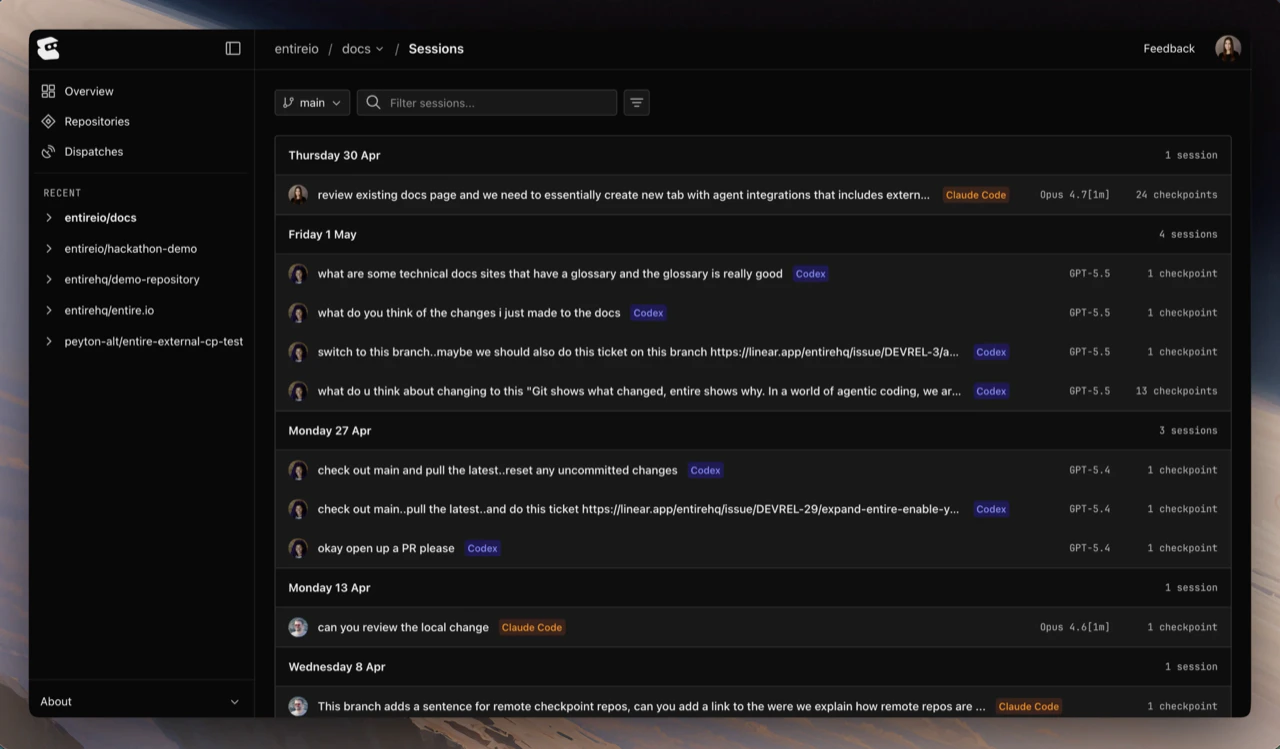
Sessions appear inside the Sessions tab on a checkpoint detail page. Each row shows the agent (Claude Code, Codex, etc.), a step count, the opening prompt, and a relative timestamp.
Sessions list inside a checkpoint
Click a session to open its timeline alongside the list.

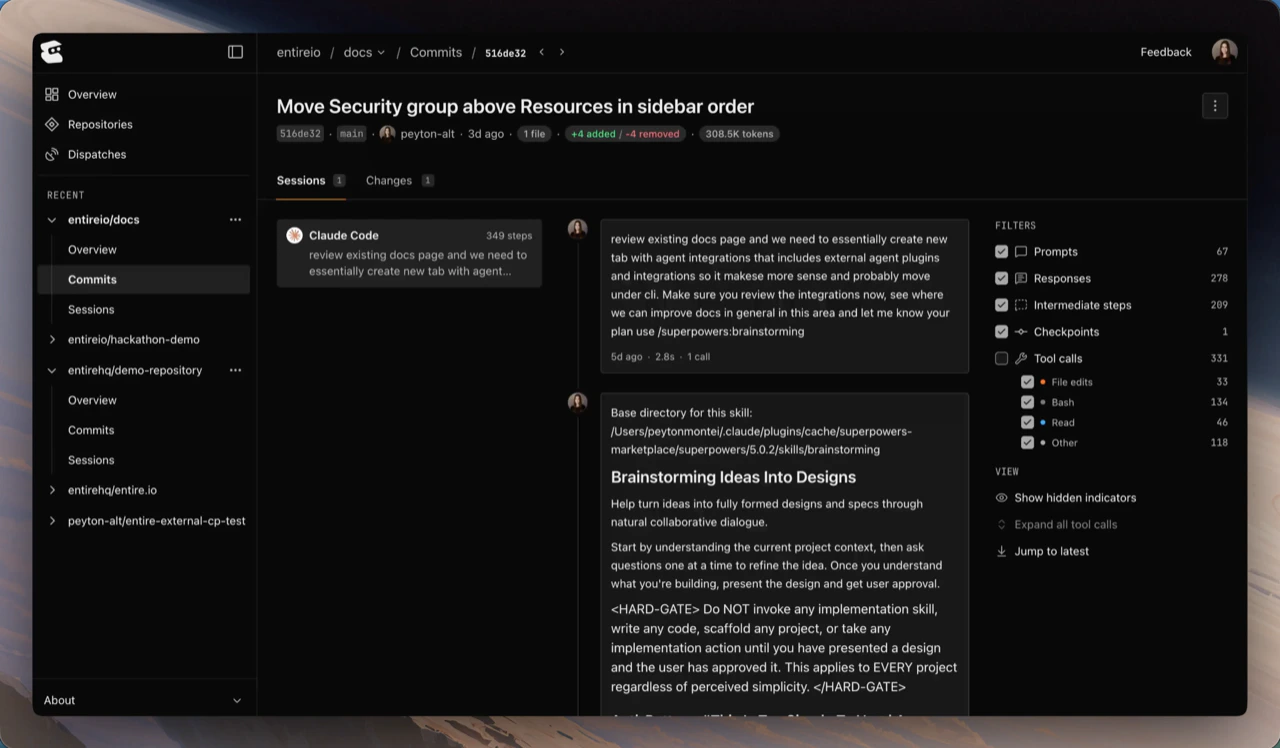
Session timeline

The session timeline is the heart of the session view. It shows the conversation in order — prompts, agent responses, expandable tool calls, and runtime tags — with a metadata panel summarizing the session.
Session timeline view
The metadata panel surfaces:
  • Model — which model the agent ran on (e.g., Opus 4.7, GPT-5.5)
  • Duration — how long the session lasted
  • Tokens — total tokens consumed by the session
The filters rail on the right lets you toggle what’s visible in the timeline: prompts, responses, intermediate steps, checkpoints, and tool calls (broken down into file edits, bash, read, and other).

File diffs

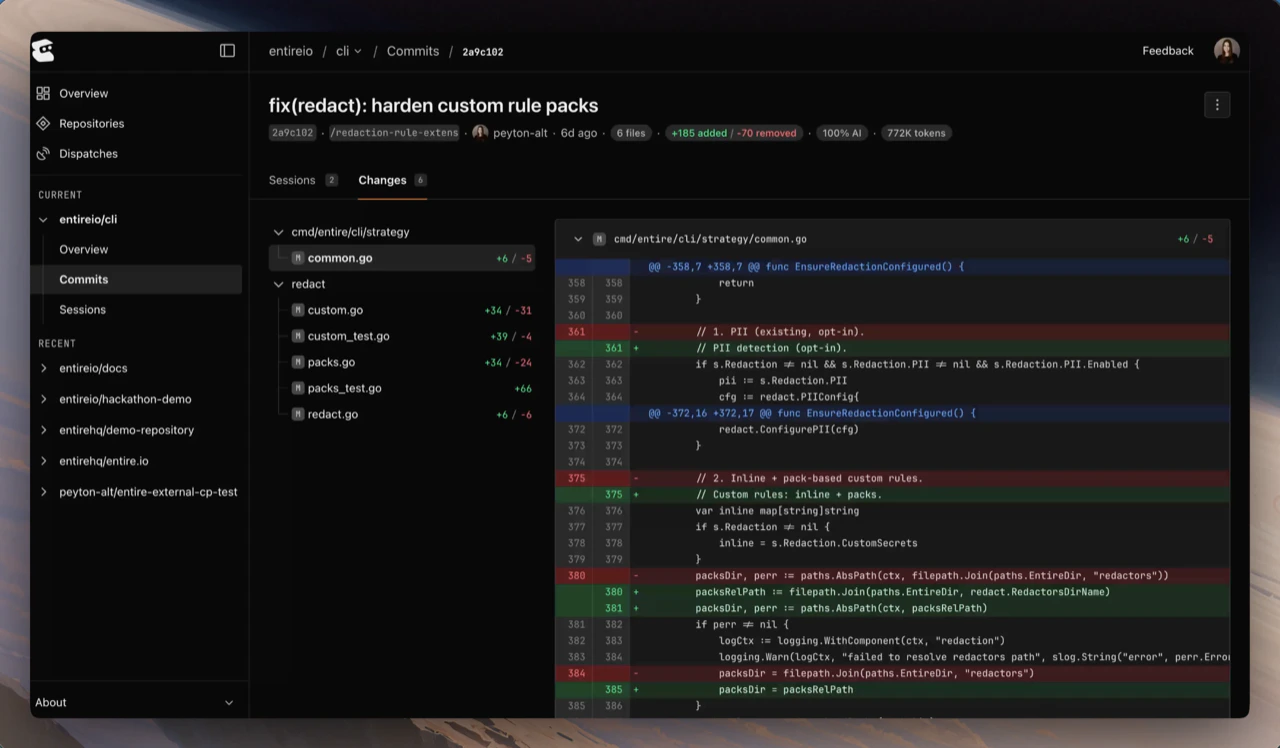
Files modified during a session live on the checkpoint’s Changes tab. Open the checkpoint that owns the session to see the full diff — file tree on the left, side-by-side or unified diff on the right.
Changes tab showing a file diff
When a checkpoint groups multiple sessions, the diff shows the combined change. The per-session contribution surfaces through the AI attribution breakdown below.

AI attribution

Entire calculates how much of a checkpoint came from the agent versus a human edit. The percentage appears as a badge on the checkpoint header, with a finer breakdown per session.
The breakdown counts:
  • Agent lines — lines the agent committed
  • Human added / modified / removed — lines you edited directly
  • Agent percentage — the rolled-up share for the session, surfaced as the badge on the checkpoint header
AI attribution helps during code review — reviewers see at a glance how much of a change came from the agent versus a human edit, and can dig into the transcript when something needs context.

Sub-agent sessions

When an agent spawns sub-agents (for example via Claude Code’s Task tool), Entire captures each as its own session and rolls their tokens up into the parent checkpoint’s totals. Sub-agent sessions appear alongside the parent in the checkpoint’s Sessions tab. Open any sub-agent session to see its own transcript and tool calls.

Linking to commits

Every session is linked to one or more Git commits via the Entire-Checkpoint trailer. From a session you can:
  • Open the checkpoint detail view for any commit the session touched
  • Open the underlying commit on GitHub from the checkpoint header’s actions menu

Continue with

Troubleshooting

Resolve missing-session and sync issues.

Review a Checkpoint

See file diffs, metadata, and how to link from a commit or PR.