

- Entire CLI. Runs in your terminal and works with the repository on your machine. Use it to enable Entire in a repo, capture agent sessions, list and explain checkpoints, search past work, and create or clone mirrors.
- entire.io. The web interface for your repositories. Use it to browse, search, and share your agentic history and to connect GitHub repositories to Entire.
Entire CLI
What the Entire CLI Does
The Entire CLI captures your agent sessions and links them to your commits, so you and your agents can trace any change back to the work behind it. It also lets you clone and mirror your repositories directly from Entire. The Entire CLI helps you and your agent to:- Record every agent session as a checkpoint linked to your commits, so the prompts, transcripts, and file changes behind a change are never lost.
- Search your code and the sessions, commits, and checkpoints behind it, from the terminal or from inside your agent.
- Explain why a file or line exists with
entire blameandentire why, which show the checkpoint, prompt, and session that produced it. - Mirror and clone your repositories natively on Entire, from the region closest to your agents.
- Hand off work between sessions and agents with the session handoff Skill and
entire session resume, so the next agent starts with the context it needs. - Review and summarize agent work with
entire review, a multi-agent review of a branch, andentire recap, a summary of recent checkpoint activity.
How to Access the CLI
Install the CLI, then run commands from inside a Git repository:codex with your agent if needed, such as claude-code or antigravity. See Set Up an Agent for the full list.
These are some commands to start with:
Host and Mirror Repositories from the CLI
Entire is a distributed Git hosting network. A mirror is a synced copy of your GitHub repository that lives on Entire in a region you choose, so agents can clone and fetch from the cluster closest to them while GitHub stays the source of truth. From the CLI you can create mirrors, see where a repository is mirrored, and clone or point an existing checkout at one:entire repo clone and entire repo mirror use ask you to choose one. Pass --cluster in scripts.
Mirrors sync every push back to GitHub. To keep pushing when GitHub is down, or to absorb many agents pushing at once, push to an Entire-native branch by naming it with the entire/unmirrored/ prefix. See Mirrors in CLI for the full command-line flow.
entire.io
entire.io is the browser-based view of the history the CLI captured. It is useful when you want a visual way to understand work, search across repositories, review your commits and work, or share context with teammates.What entire.io Shows
After you sign in, entire.io can show:- Recent repository activity and commits.
- Checkpoints grouped by repository and branch.
- File diffs and the agent sessions that contributed to a checkpoint.
- Session timelines, prompts, transcripts, tool calls, and files.
- Search results for sessions, commits, checkpoints, and indexed source code.
- The repositories connected to your account, their mirror regions, and their GitHub App access.
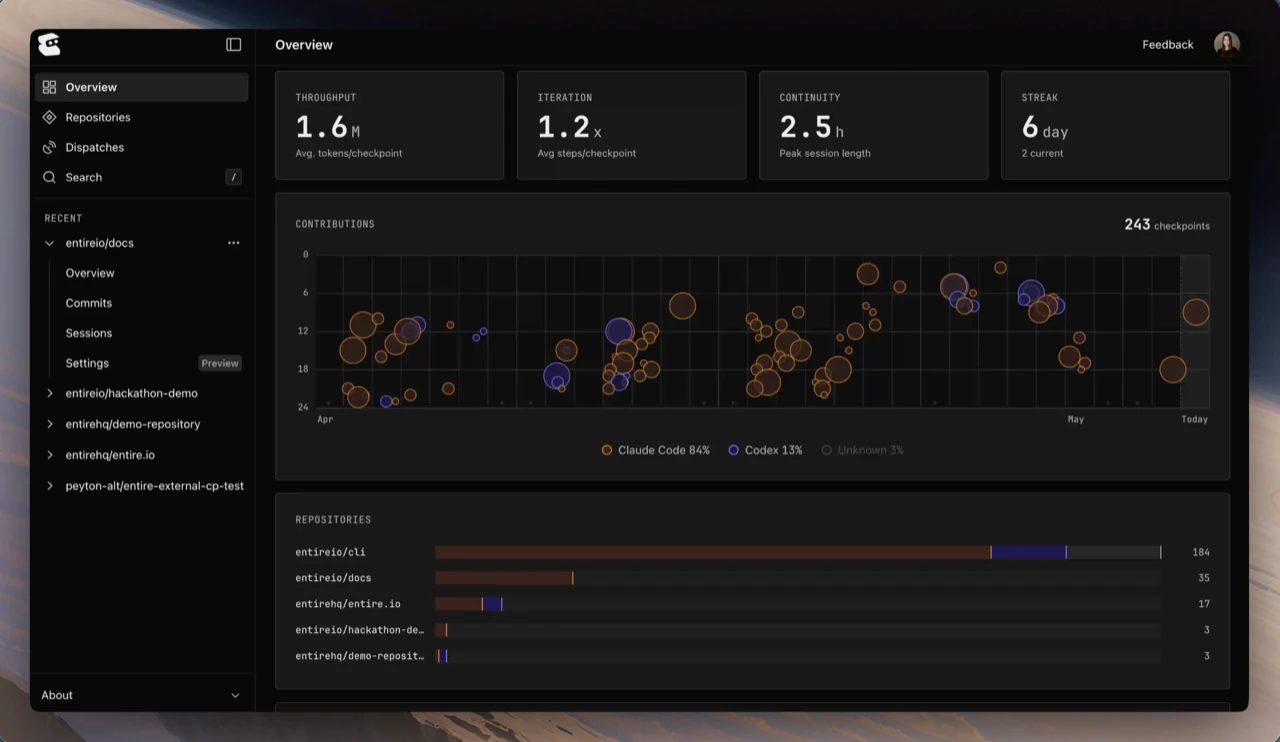
How to Access entire.io
- Install and enable the Entire CLI in the repository.
- Commit and push your work so the checkpoint data is available to Entire.
- Sign in at entire.io.
- Open a repository, then choose a branch, checkpoint, session, or search result to inspect.
Host and Mirror Repositories in entire.io
entire.io is where you connect GitHub to Entire and choose which repositories Entire can see. The repository setup flow walks you through it:- Configure GitHub App. Install the Entire GitHub App, or update its access, for all repositories or only the ones you select. This step needs a GitHub organization admin if the repository belongs to an organization.
- Select repositories. Choose the repositories to make available in Entire.
- Choose data residency. Pick the region where Entire stores and serves each mirror. Entire currently offers regions in the United States, the European Union, India, and Australia.
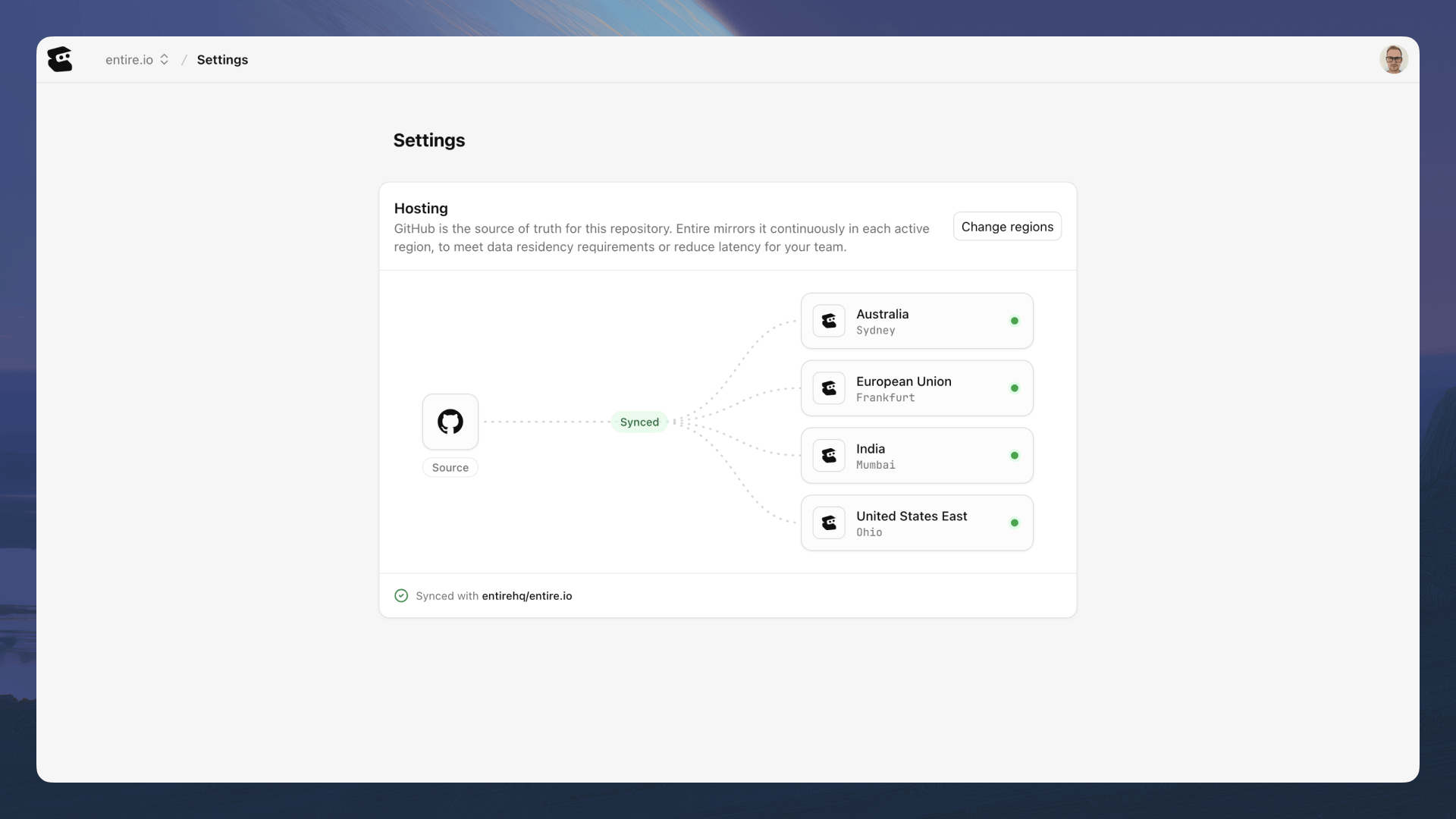
entire:// clone URL shown for it. Mirror access follows GitHub collaborator permissions and syncs every hour.
See Mirrors in entire.io for the web flow with screenshots, or Mirror a GitHub Repository for the complete walkthrough from access setup through removal.
The two surfaces work together: the CLI captures and manages the history and creates mirrors from the terminal, while entire.io connects your GitHub repositories and makes that history easy to explore and share.
Continue With
Installation
Install and verify the Entire CLI.
Quickstart
Set up Entire and capture your first agent session.
CLI Reference
Find every Entire CLI command and flag.
Code Hosting
Learn how Entire hosts and mirrors repositories across regions.
Inspect Checkpoints in entire.io
Inspect checkpoint details, sessions, and file diffs visually.
Sessions in entire.io
Browse the prompt, transcript, and activity behind agent work.
Search in entire.io
Search past work or indexed source code in the browser.
Dispatches in entire.io
Create readable summaries from repository history.