What Is Brain?
Entire Brain is a memory layer for your Git repository. It brings together saved agent sessions, checkpoints, project facts, documentation, and code structure from Entire Graph. Graph maps how your code connects while Brain adds the context behind it: why a decision was made, what was tried before, and what your team learned. That memory belongs to the project and different coding agents can use it. For example,you can move from Claude Code to Codex and give the next agent context from earlier work.How Does It Help?
Brain is great for team collaboration and individual work when you are context switching across tasks and agents. It helps you spend less time explaining your project and repeating earlier research. A new agent session can start with the decisions, rules, and lessons that has already been recorded. For example, before changing how failed requests are retried, you can ask Brain for earlier decisions about retries. Your agent can use that context to understand the current approach before editing the code.What Can You Do with Brain?
- Understand a project to get an overview of its structure and how it works.
- Prepare for a task and find relevant decisions, code locations, and possible tests.
- Find earlier work by searching through saved facts, history, and documentation.
- Record a project rule or decision for future sessions.
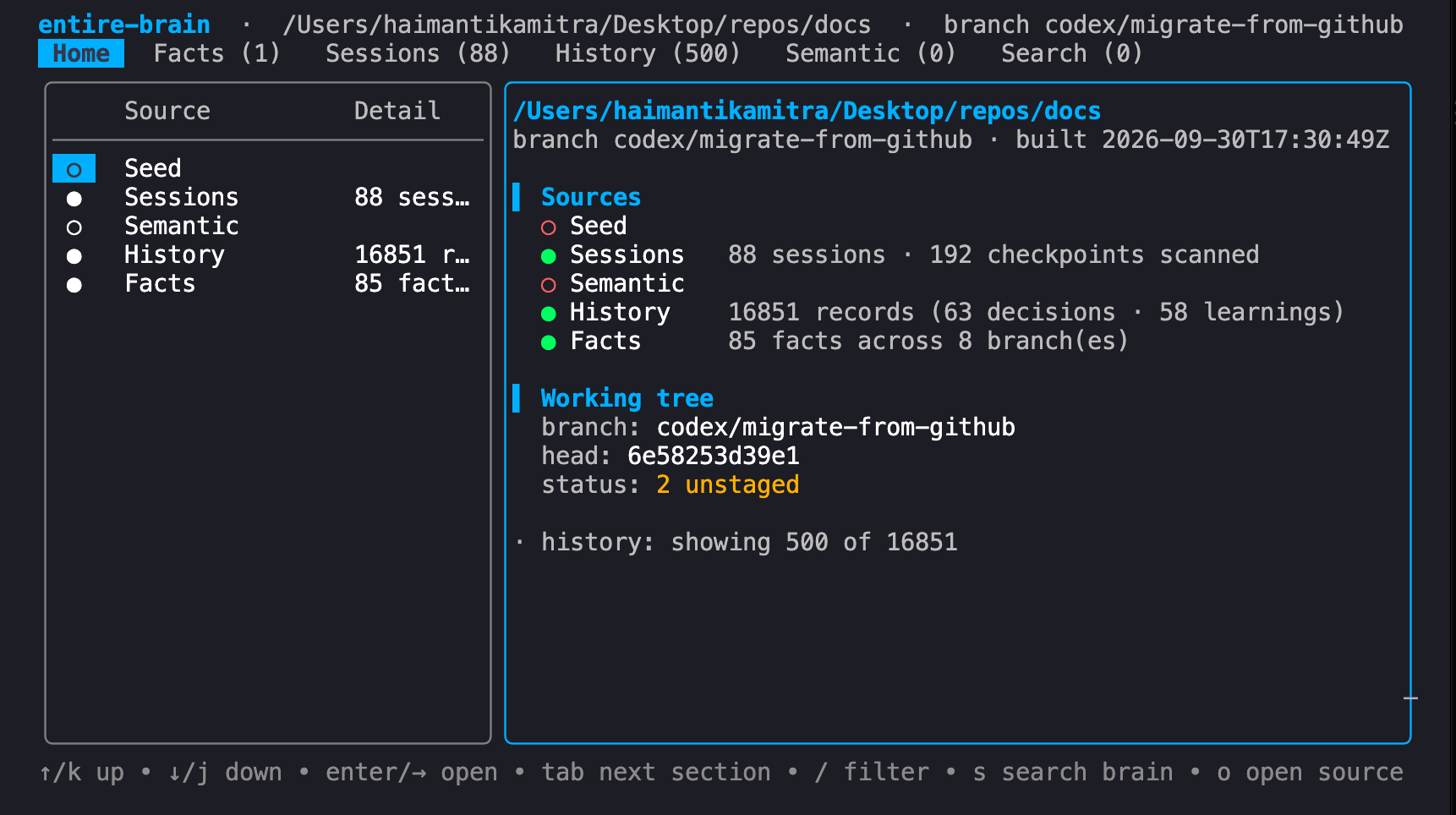
- Use memory to browse what Brain knows in a local UI.
Before You Start
Use a local Git repository with at least one commit. Install the Entire CLI and Git 2.36 or later. To give Brain access to future agent sessions, enable Entire in your repository. Brain can also work from code, docs, and Git history when no saved sessions are available and make sure to commit your intended changes before setup.Install Brain
Run this once on your machine:entire brain command.
Install Graph for code analysis:
Set Up Your Repository
Open the project repository where you want to use Brain. If you installed Brain from source, switch from theentire-brain source directory to your project first.
From your project’s root, build its memory:
By default, setup also extracts facts from past sessions and installs a background
watcher on supported macOS and Linux systems. Fact extraction uses an available
coding agent, can send session content to its model provider, and can incur token
charges. The watcher can continue extracting facts over time.To skip the initial fact extraction and watcher installation, use
entire brain setup --no-backfill --no-daemon instead..entire/agent-guide.md and adds references to it in AGENTS.md and CLAUDE.md. Text outside the managed blocks is preserved. Rerunning the command replaces the generated guide.
Review and commit these three files to share the instructions with your team. Restart your agent or reload its repository instructions so it picks up the guide.
When Graph is installed, the guide tells your agent to use Brain for earlier decisions and Graph to find and inspect code.
Connect an MCP Client
If your agent uses MCP, print the configuration from your project repository:How to Use Brain
Use Brain from the CLI or UI after setup, or use the agent prompt to have your agent set it up for you.- CLI
- UI
- Agent Prompt
Run these commands from your repository.Get a project overview:Get context for a task:Search earlier decisions:Save a fact, then find it again. Replace the example with a rule that is true for your project:Check whether memory is current:See the command reference for more options.