

Open a Session
Open the checkpoint that contains the session you want to inspect, then use the session list to choose the agent work behind that checkpoint.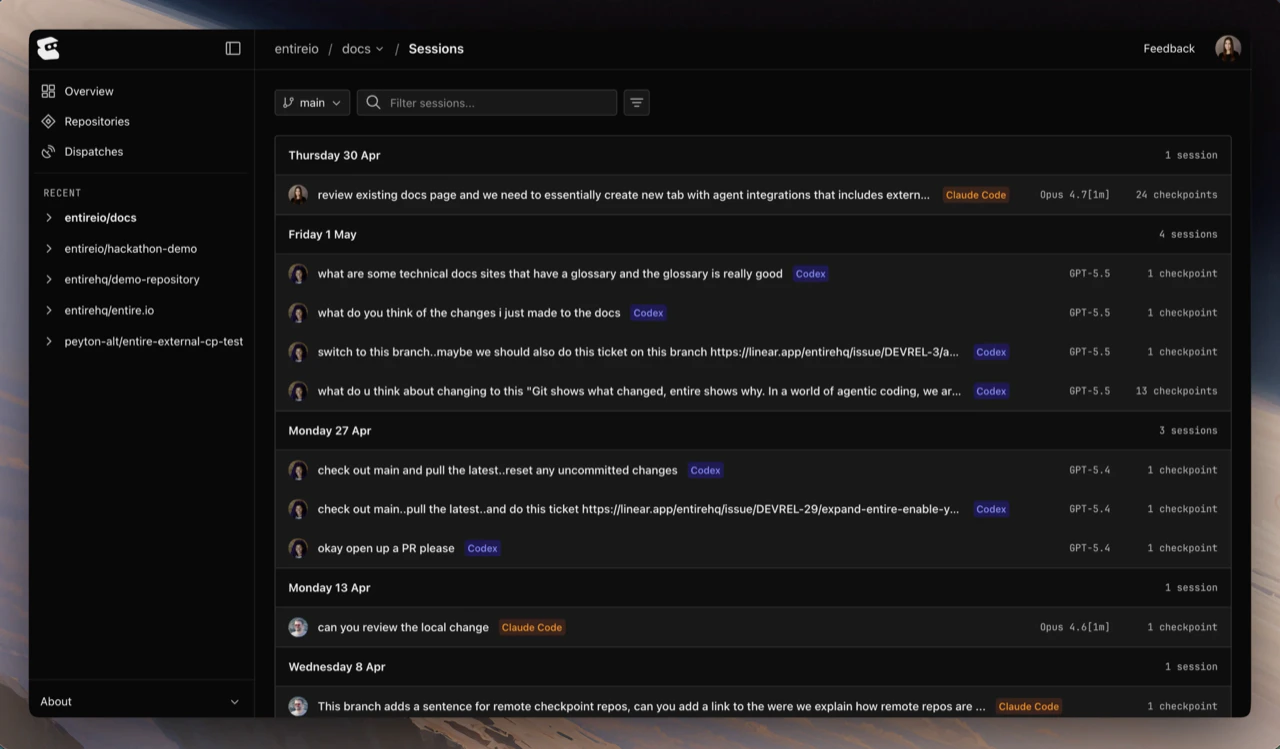
Session Timeline
The timeline shows the conversation in order, including prompts, agent responses, expandable tool calls, and runtime tags. The metadata panel summarizes the agent, model, duration, and token usage when available.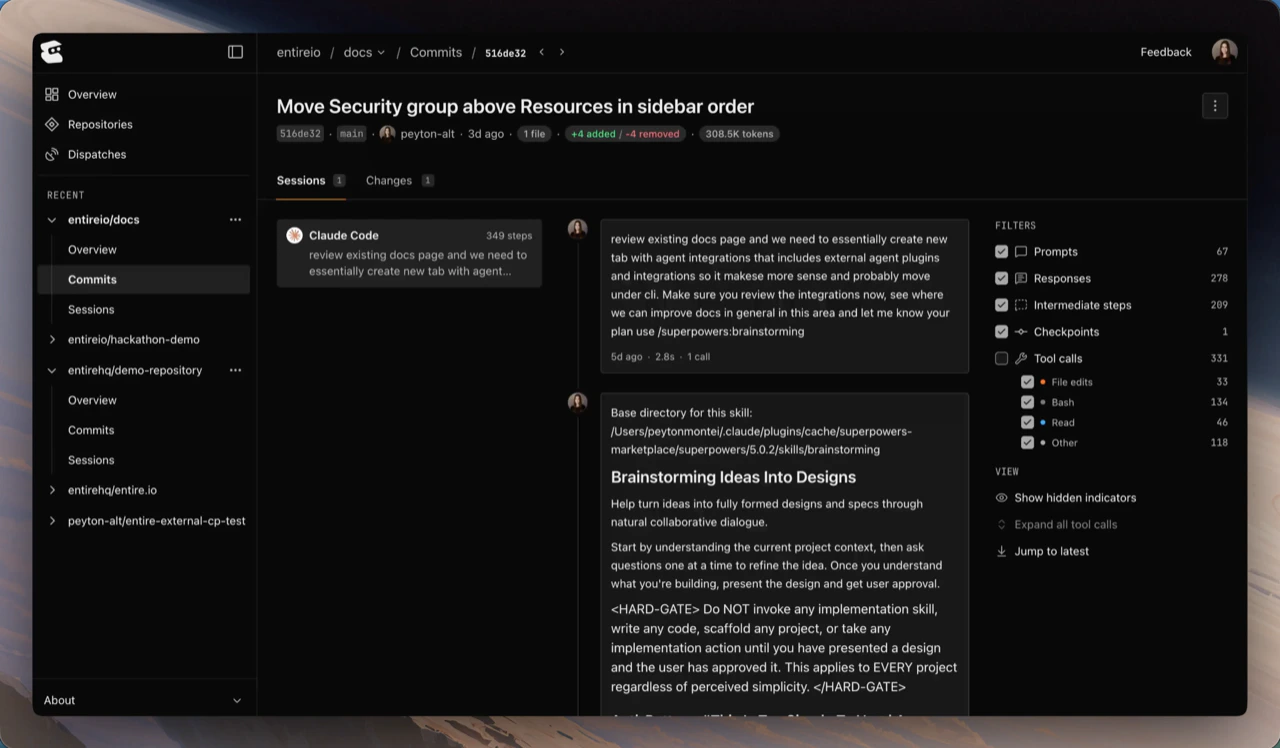
Files and Attribution
Files modified during a session are reviewed through the checkpoint that owns the session. When a checkpoint includes multiple sessions, the diff shows the combined change, while session details preserve the per-session context.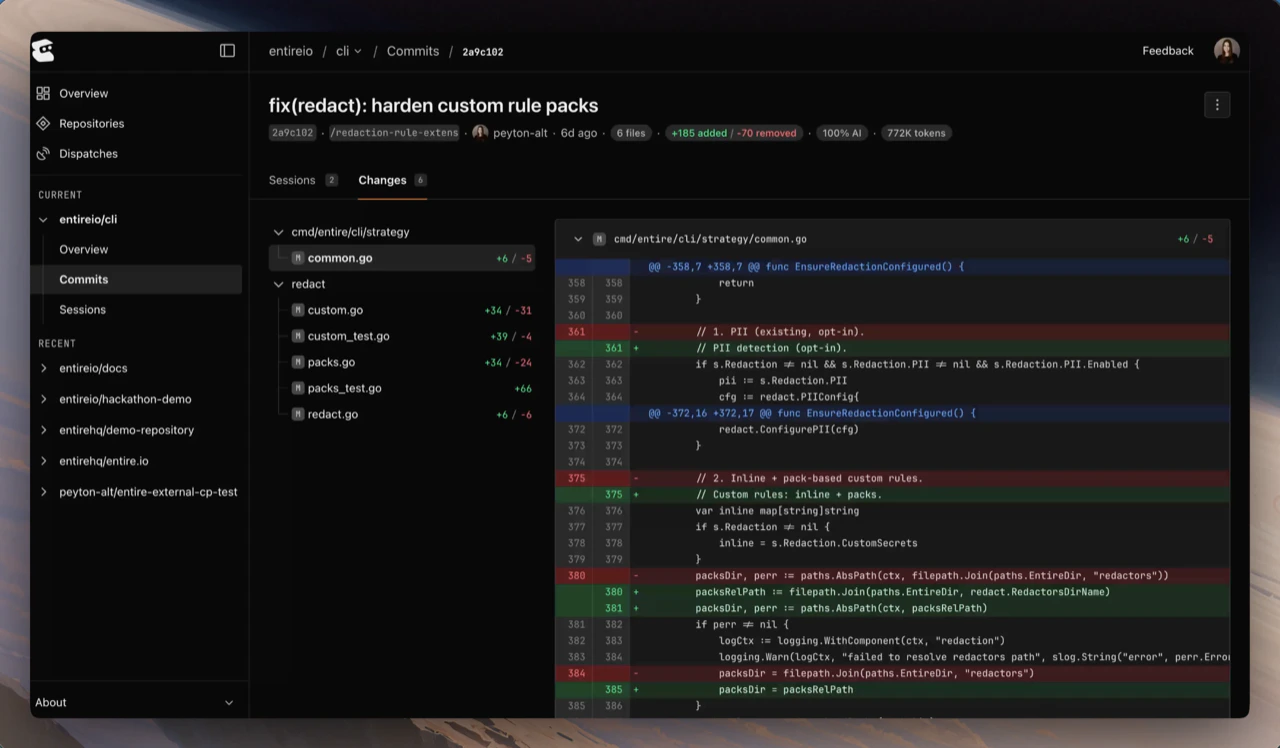
- agent-written lines
- human-added, modified, or removed lines
- agent percentage for the checkpoint or session
Sub-Agent Sessions
When an agent spawns a sub-agent, Entire records it against the parent session and materializes its transcript into the parent’s next checkpoint. The session list shows the parent, so review the sub-agent’s file changes through the checkpoint that owns it. entire.io does not browse sub-agent records on their own yet. Agent Integrations covers which agents record which sub-agents and which roll their tokens up.Continue With
Inspect Checkpoints in entire.io
Open the checkpoint context that owns a session.
Inspect Sessions in CLI
Inspect session metadata, transcripts, and token usage from the terminal.