> ## Documentation Index
> Fetch the complete documentation index at: https://docs.entire.io/llms.txt
> Use this file to discover all available pages before exploring further.
# Sessions in Entire.io
> Review session timelines, transcripts, tool calls, files, and attribution in Entire.io.
Use Entire.io when you want to visually inspect what happened during an agent session and move between the session, checkpoint, and file changes.
## Open a session
Open the checkpoint that contains the session you want to inspect, then use the session list to choose the agent work behind that checkpoint.
Each session row shows the agent, step count, opening prompt, and relative timestamp.
## Session timeline
The timeline shows the conversation in order, including prompts, agent responses, expandable tool calls, and runtime tags. The metadata panel summarizes the agent, model, duration, and token usage when available.
Use timeline filters to focus on prompts, responses, intermediate steps, checkpoints, or specific tool-call types.
## Files and attribution
Files modified during a session are reviewed through the checkpoint that owns the session. When a checkpoint includes multiple sessions, the diff shows the combined change, while session details preserve the per-session context.
Entire also calculates how much of a checkpoint came from the agent versus a human edit. Attribution helps reviewers decide when to inspect the transcript more closely.
The breakdown can include:
* agent-written lines
* human-added, modified, or removed lines
* agent percentage for the checkpoint or session
## Sub-agent sessions
When an agent spawns a sub-agent, Entire can capture that child session separately and roll its context into the parent checkpoint. Open the sub-agent session to inspect its own transcript, tool calls, and token usage.
## Continue with
Open the checkpoint context that owns a session.
Inspect session metadata, transcripts, and token usage from the terminal.
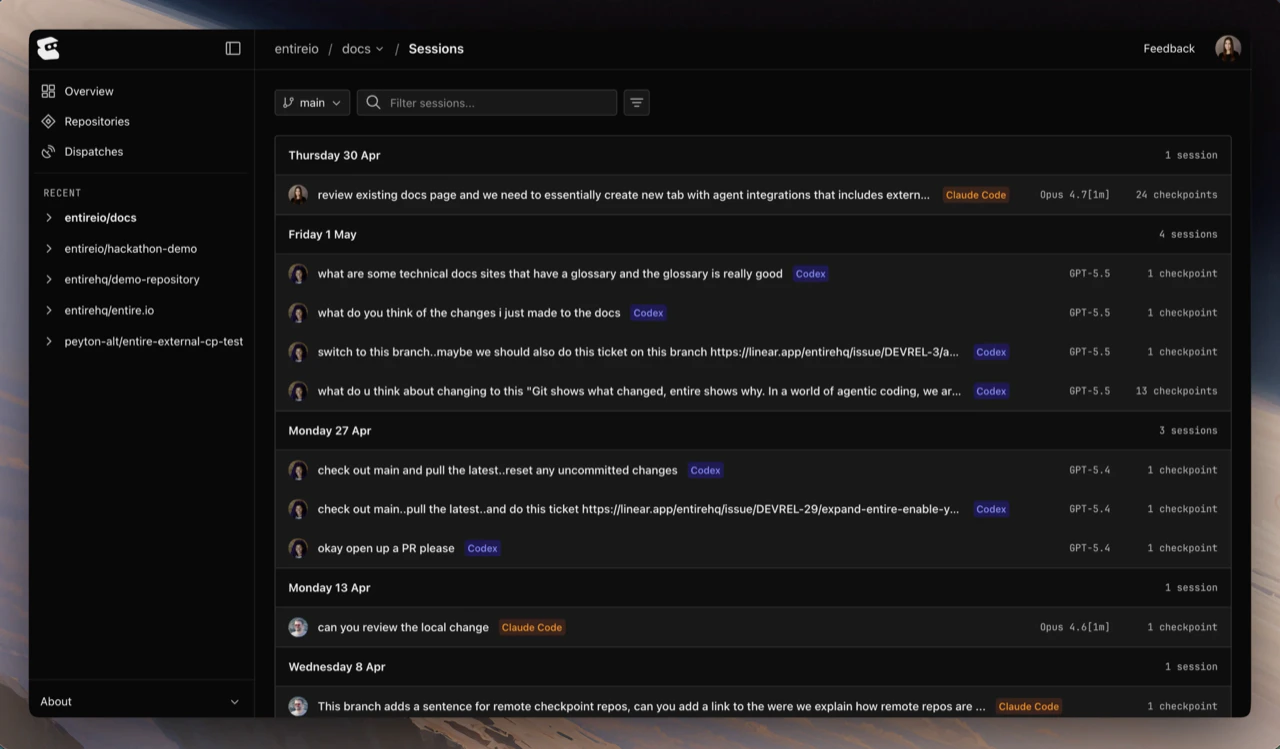 Each session row shows the agent, step count, opening prompt, and relative timestamp.
## Session timeline
The timeline shows the conversation in order, including prompts, agent responses, expandable tool calls, and runtime tags. The metadata panel summarizes the agent, model, duration, and token usage when available.
Each session row shows the agent, step count, opening prompt, and relative timestamp.
## Session timeline
The timeline shows the conversation in order, including prompts, agent responses, expandable tool calls, and runtime tags. The metadata panel summarizes the agent, model, duration, and token usage when available.
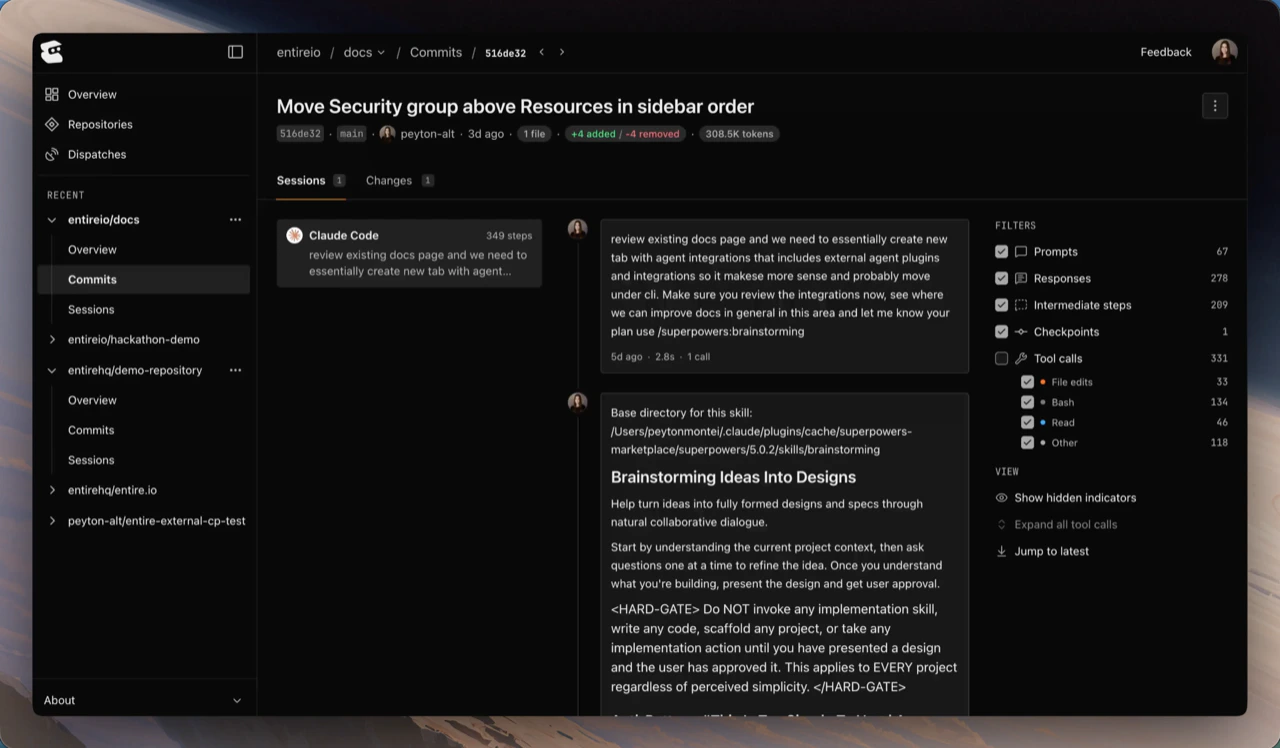 Use timeline filters to focus on prompts, responses, intermediate steps, checkpoints, or specific tool-call types.
## Files and attribution
Files modified during a session are reviewed through the checkpoint that owns the session. When a checkpoint includes multiple sessions, the diff shows the combined change, while session details preserve the per-session context.
Use timeline filters to focus on prompts, responses, intermediate steps, checkpoints, or specific tool-call types.
## Files and attribution
Files modified during a session are reviewed through the checkpoint that owns the session. When a checkpoint includes multiple sessions, the diff shows the combined change, while session details preserve the per-session context.
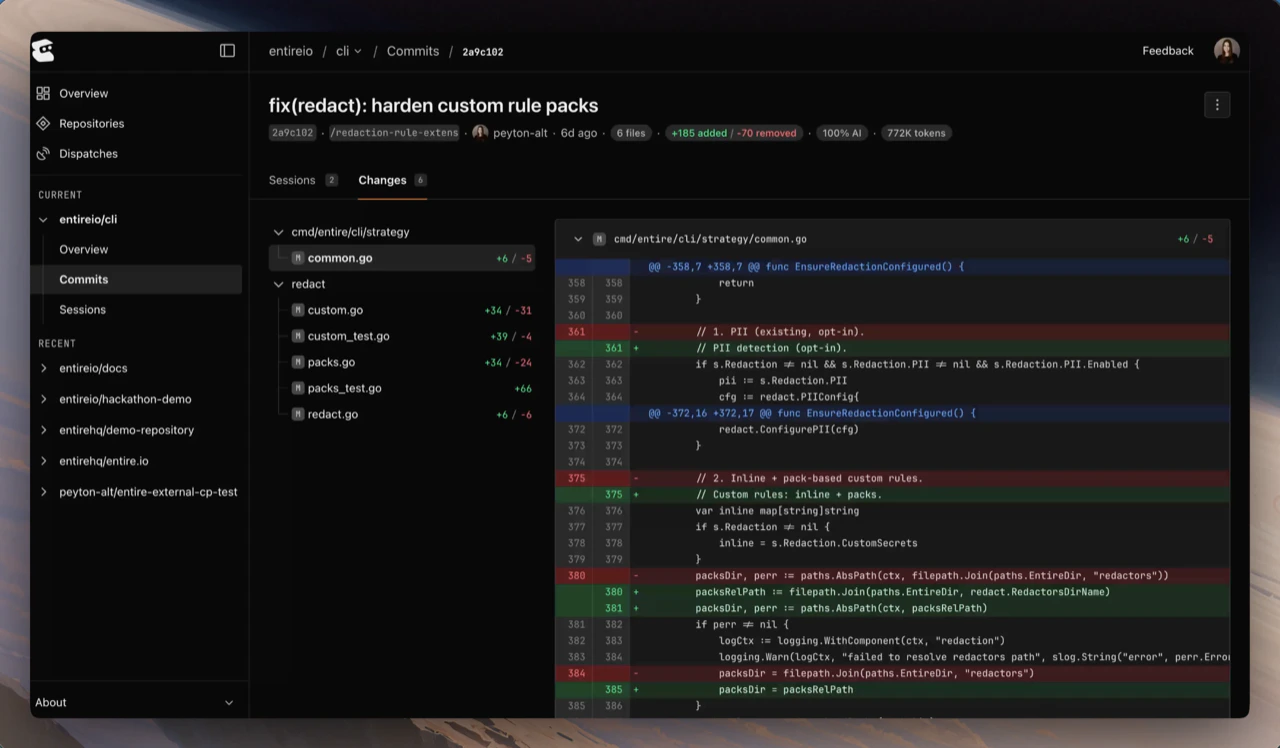 Entire also calculates how much of a checkpoint came from the agent versus a human edit. Attribution helps reviewers decide when to inspect the transcript more closely.
The breakdown can include:
* agent-written lines
* human-added, modified, or removed lines
* agent percentage for the checkpoint or session
## Sub-agent sessions
When an agent spawns a sub-agent, Entire can capture that child session separately and roll its context into the parent checkpoint. Open the sub-agent session to inspect its own transcript, tool calls, and token usage.
## Continue with
Entire also calculates how much of a checkpoint came from the agent versus a human edit. Attribution helps reviewers decide when to inspect the transcript more closely.
The breakdown can include:
* agent-written lines
* human-added, modified, or removed lines
* agent percentage for the checkpoint or session
## Sub-agent sessions
When an agent spawns a sub-agent, Entire can capture that child session separately and roll its context into the parent checkpoint. Open the sub-agent session to inspect its own transcript, tool calls, and token usage.
## Continue with