> ## Documentation Index
> Fetch the complete documentation index at: https://docs.entire.io/llms.txt
> Use this file to discover all available pages before exploring further.
# Install the Entire GitHub App
> Authorize the Entire GitHub App and choose which repositories Entire can access.
Entire uses the GitHub App to access the repositories you choose.
## When you need this
Configure GitHub App access when you want to:
* make a GitHub repository appear in Entire
* create a repository mirror
* let Entire read repository and checkpoint activity
* let Entire verify GitHub collaborator access for mirror permissions
GitHub App access controls which GitHub repositories Entire can see. It does not move, delete, or replace the GitHub repository.
## Configure GitHub App access
Choose the flow that matches where the repository lives.
Use this when the repository is owned by your GitHub account.
In Entire.io, open repository setup and choose **Configure GitHub App**.
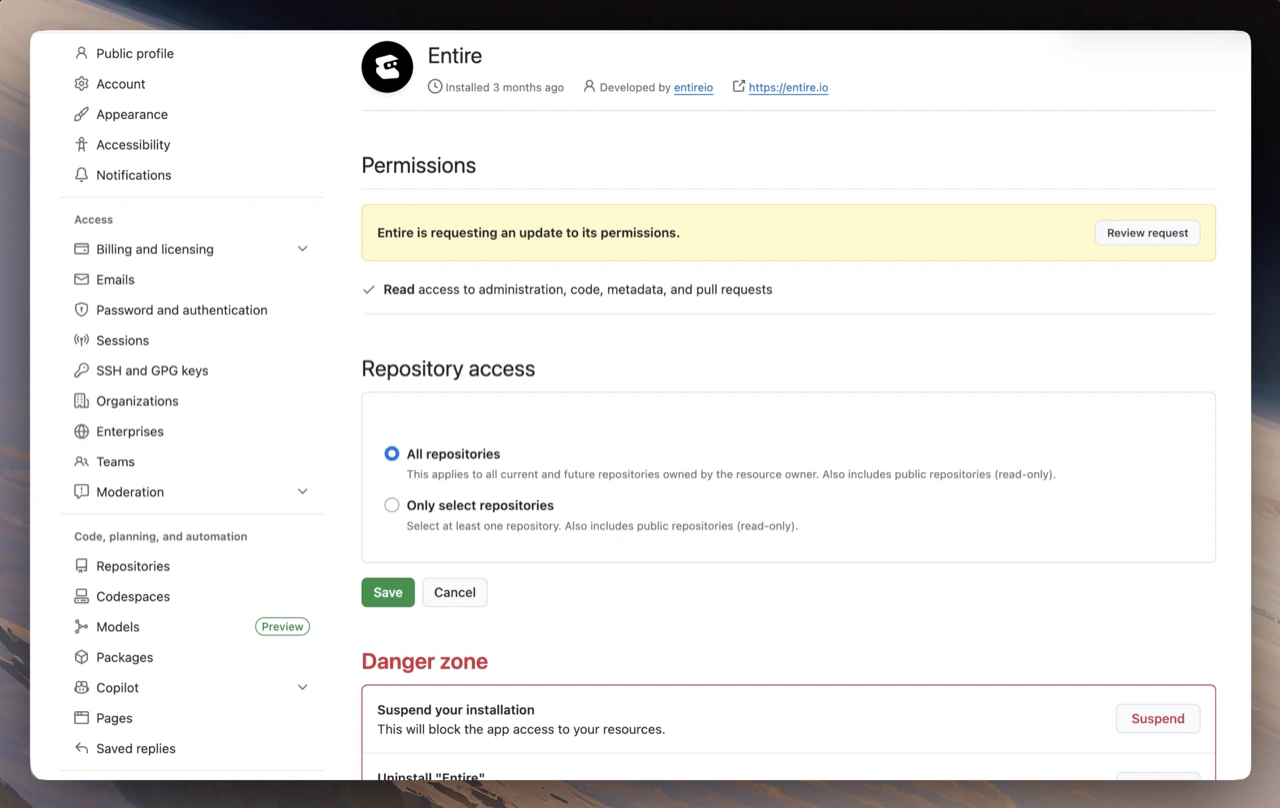
GitHub opens the Entire GitHub App settings. From there, choose either:
* **All repositories**, if Entire should be able to access every repository in your account
* **Only select repositories**, if Entire should only access specific repositories
Save the GitHub App configuration, then return to Entire.io.
Use this when the repository is owned by a GitHub organization.
For organization repositories, a GitHub organization admin must install or update the Entire GitHub App.
In Entire.io, open repository setup and choose **Configure GitHub App**.
GitHub opens the Entire GitHub App settings. From there, the organization admin can choose either:
* **All repositories**, if Entire should be able to access every repository in the organization
* **Only select repositories**, if Entire should only access specific repositories
Save the GitHub App configuration, then return to Entire.io.
After the app is installed and allowed to access a repository, team members can use repositories they already have GitHub collaborator access to.
## What the flow looks like
GitHub asks you to authorize Entire before you choose which repositories the app can access.
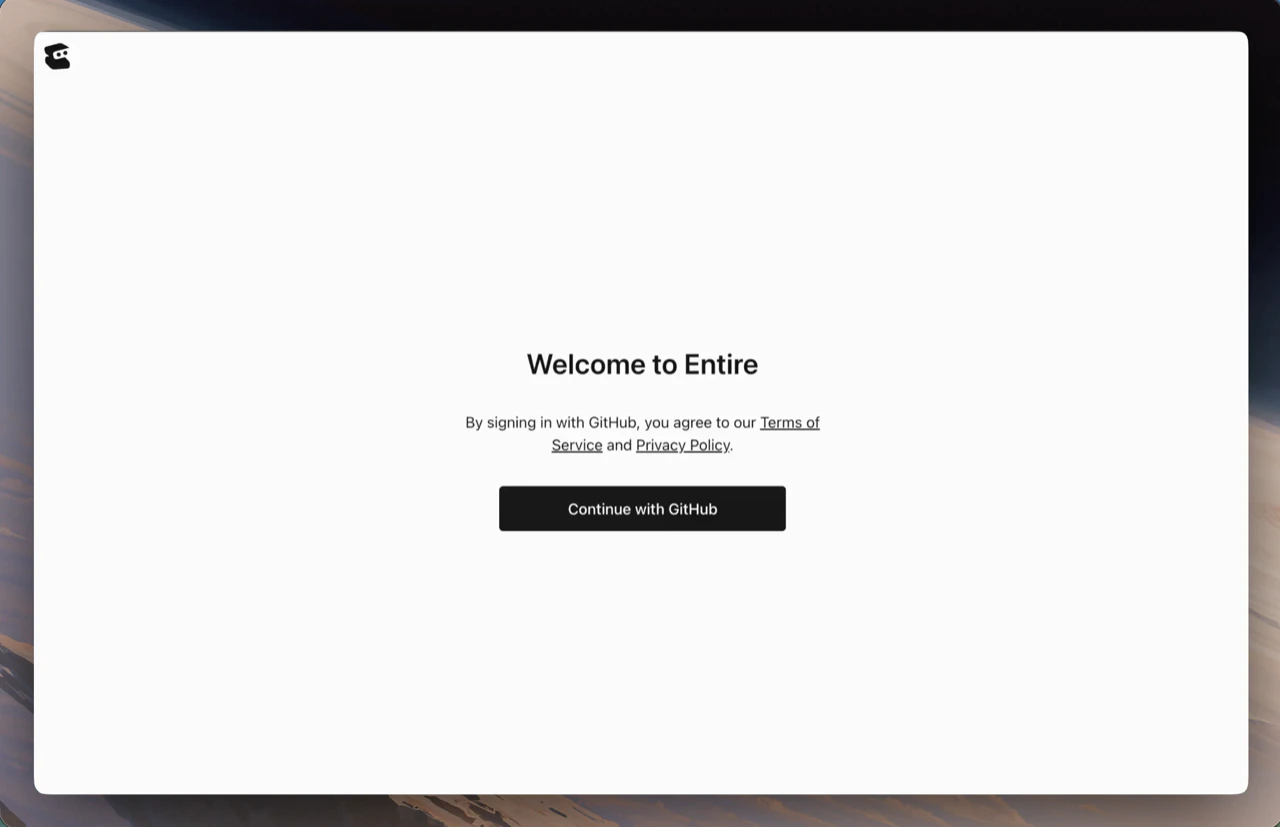 After authorization, return to Entire.io and select the repositories you want to connect.
 ## Verify access
For a repository to appear in Entire or be available for mirroring:
* the Entire GitHub App must be installed for the account or organization
* the app must be allowed to access that repository
* your GitHub account must have access to that repository
If the repository does not appear after configuring access, confirm that you are viewing the correct GitHub account or organization and that the repository is included in the GitHub App access list.
## Permissions
The Entire GitHub App requests these permissions:
**Repository permissions**
| Permission | Purpose |
| ------------------------- | ------------------------------------------------------------------------------------------- |
| Administration: read | Read repository settings, teams, and collaborators. |
| Checks: read | Read check status for repository activity and review context. |
| Commit statuses: read | Read commit status information. |
| Contents: read/write | Read repository contents and support Git operations that require repository content access. |
| Pull requests: read/write | Read and support pull request workflows, comments, labels, assignees, and related metadata. |
**Organization permissions**
| Permission | Purpose |
| ------------- | ------------------------------------ |
| Members: read | Read organization members and teams. |
Checkpoint data is created locally by the Entire CLI and stored in your repository on the `entire/checkpoints/v1` branch. The GitHub App does not create local checkpoints for you.
## Mirrors
Repository mirrors require GitHub App access to the source GitHub repository.
After GitHub App access is configured, you can create a mirror from Entire.io or the CLI:
```bash theme={null}
entire repo mirror create github.com/OWNER/REPO
```
GitHub App access controls which repositories Entire can see. User mirror access follows GitHub collaborator permissions and syncs hourly. See [Mirror Access and Permissions](/guides/repositories/mirror-access-and-permissions).
## Remove access
If you uninstall the Entire GitHub App or remove a repository from its access list:
* the repository may stop appearing in Entire.io
* Entire cannot create or update mirrors for that repository
* Entire cannot sync new checkpoint activity from that repository
* existing checkpoint data already stored in Entire remains visible according to your current access settings
* local Git branches and local checkpoint data are not deleted
## Continue with
Create and use repository mirrors.
Understand GitHub-synced access, hourly collaborator sync, and offboarding.
## Verify access
For a repository to appear in Entire or be available for mirroring:
* the Entire GitHub App must be installed for the account or organization
* the app must be allowed to access that repository
* your GitHub account must have access to that repository
If the repository does not appear after configuring access, confirm that you are viewing the correct GitHub account or organization and that the repository is included in the GitHub App access list.
## Permissions
The Entire GitHub App requests these permissions:
**Repository permissions**
| Permission | Purpose |
| ------------------------- | ------------------------------------------------------------------------------------------- |
| Administration: read | Read repository settings, teams, and collaborators. |
| Checks: read | Read check status for repository activity and review context. |
| Commit statuses: read | Read commit status information. |
| Contents: read/write | Read repository contents and support Git operations that require repository content access. |
| Pull requests: read/write | Read and support pull request workflows, comments, labels, assignees, and related metadata. |
**Organization permissions**
| Permission | Purpose |
| ------------- | ------------------------------------ |
| Members: read | Read organization members and teams. |
Checkpoint data is created locally by the Entire CLI and stored in your repository on the `entire/checkpoints/v1` branch. The GitHub App does not create local checkpoints for you.
## Mirrors
Repository mirrors require GitHub App access to the source GitHub repository.
After GitHub App access is configured, you can create a mirror from Entire.io or the CLI:
```bash theme={null}
entire repo mirror create github.com/OWNER/REPO
```
GitHub App access controls which repositories Entire can see. User mirror access follows GitHub collaborator permissions and syncs hourly. See [Mirror Access and Permissions](/guides/repositories/mirror-access-and-permissions).
## Remove access
If you uninstall the Entire GitHub App or remove a repository from its access list:
* the repository may stop appearing in Entire.io
* Entire cannot create or update mirrors for that repository
* Entire cannot sync new checkpoint activity from that repository
* existing checkpoint data already stored in Entire remains visible according to your current access settings
* local Git branches and local checkpoint data are not deleted
## Continue with
Create and use repository mirrors.
Understand GitHub-synced access, hourly collaborator sync, and offboarding.