> ## Documentation Index
> Fetch the complete documentation index at: https://docs.entire.io/llms.txt
> Use this file to discover all available pages before exploring further.
# Projects
> Organize repositories into projects and manage their regions and access permissions.
Projects provide the namespace for repositories on Entire. To create a repository, you need to create a project first and the repository's URL includes its project name such as:
```text theme={null}
https://entire.io/et/[project-name]/[repo-name]
```
Project names must meet these requirements:
* Be 3–32 characters long.
* Use only lowercase letters, numbers, and hyphens. Spaces, dots, and capital letters are not allowed.
* Not begin or end with a hyphen.
* Be unique across Entire. Names are matched case-insensitively.
Some names are reserved because they match well-known public accounts.
## Creating a Project
1. Open the **Account** menu, select **Organizations**, and choose the organization where you want to create a project.
2. Then go to **Project menu** from the left side bar and select **Create Project**.
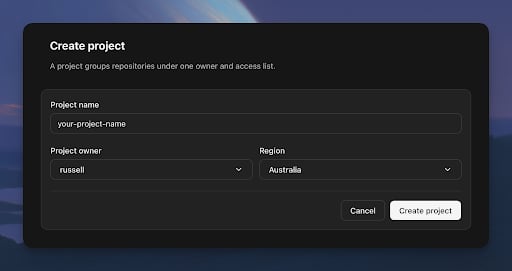
3. Choose your project name, owner, and primary Region, then select **Create project**.